
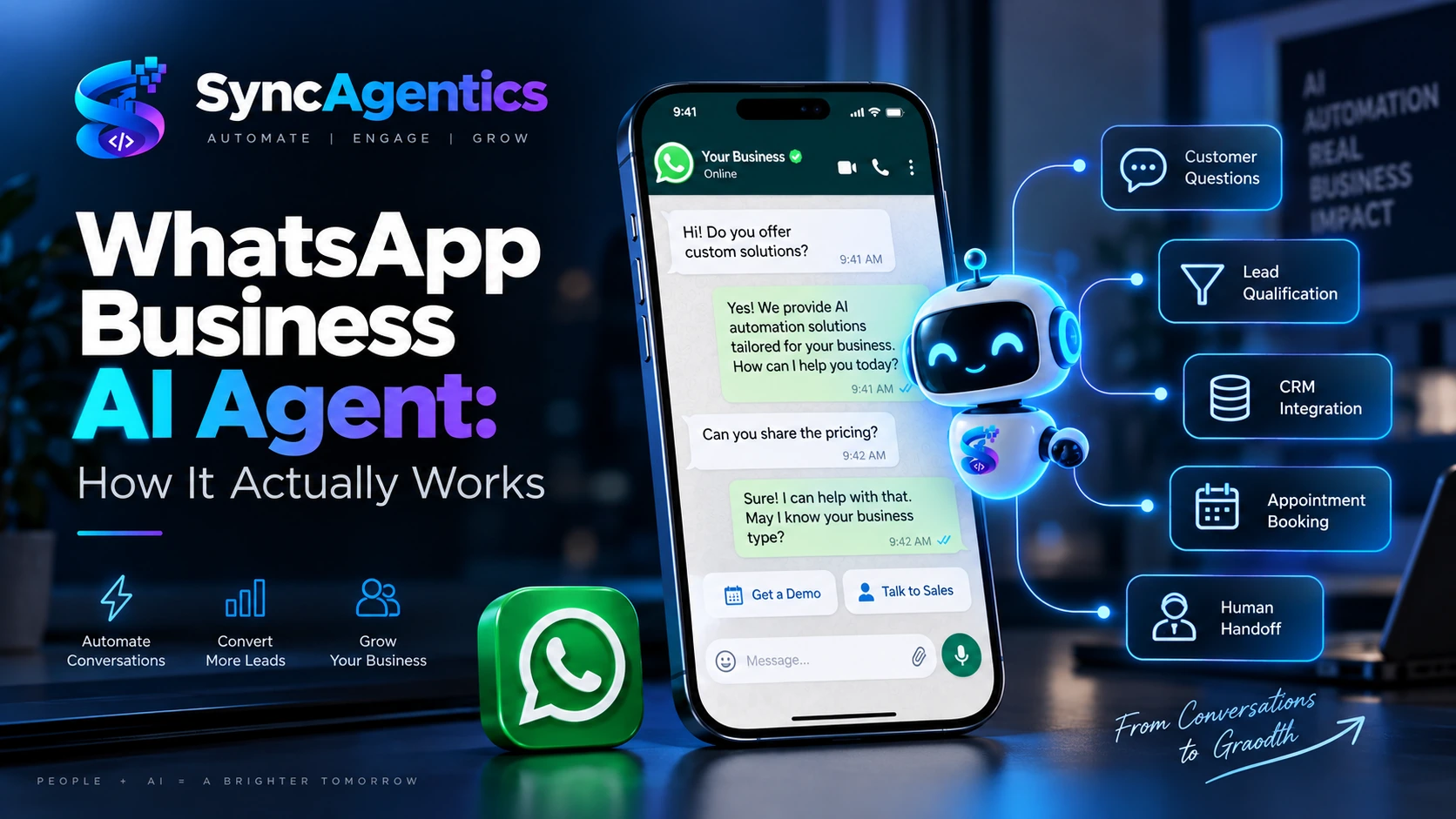
Businesses increasingly use WhatsApp as a primary channel for customer enquiries, sales conversations, appointment requests, support, and follow-ups. But once message volume increases, manually answering every conversation becomes difficult.
That is where a WhatsApp Business AI Agent can become useful.
Unlike a basic chatbot that only matches predefined questions with predefined answers, an AI agent can interpret customer messages, retrieve relevant business information, qualify leads, trigger workflows, and hand conversations to a human when required.
For businesses exploring WhatsApp AI automation, the important question isn’t simply “Can AI reply to WhatsApp messages?” The real question is:
How does a WhatsApp Business AI Agent actually work behind the scenes?
Let’s break it down.
What Is a WhatsApp Business AI Agent?
A WhatsApp Business AI Agent is an AI-powered system connected to a business’s WhatsApp communication channel that can understand customer conversations and perform predefined business tasks.
Depending on how it is designed, the agent can:
- Answer frequently asked questions
- Provide product or service information
- Capture customer details
- Qualify leads
- Recommend the next step
- Schedule appointments
- Send follow-up messages
- Retrieve information from connected systems
- Update CRM records
- Route conversations to employees
- Escalate complex or sensitive requests
The important distinction is that an AI agent is not necessarily just a conversational interface.
A chatbot might follow:
Question → Predefined answer
An AI-powered workflow can operate more like:
Customer message → Understand intent → Retrieve information → Apply business rules → Take action → Record result → Continue or escalate
That makes the technology useful for more than customer support.
How Does a WhatsApp AI Agent Work?
A typical WhatsApp AI automation system has several components working together.
1. Customer Sends a WhatsApp Message
The process begins when a customer contacts a business through WhatsApp.
For example:
“Hi, I want to book an appointment for tomorrow.”
Or:
“How much does your service cost?”
Or:
“I am interested in your premium package. Can someone call me?”
The WhatsApp Business Platform provides the communication layer through which businesses can build programmatic messaging experiences and connect WhatsApp with backend systems.
2. WhatsApp Sends the Message to the AI System
The incoming message is passed to the business’s connected automation infrastructure.
This can involve:
WhatsApp Business Platform → Webhook/API → AI agent → Business systems
Meta’s WhatsApp Business Platform supports APIs and webhooks for building integrations around business messaging.
This is one reason a proper WhatsApp AI agent is more sophisticated than simply installing a chatbot widget.
The system needs to receive the message, understand it, determine what should happen next, and potentially interact with other software.
3. The AI Understands the Customer’s Intent
The AI model processes the customer’s message and determines what the person is trying to accomplish.
For example:
Customer:
“Do you have an appointment available tomorrow afternoon?”
The system may identify:
- Intent: Appointment booking
- Date: Tomorrow
- Time preference: Afternoon
- Customer type: Potential customer
- Required action: Check availability
Another message:
Customer:
“How much does your SEO package cost?”
Could be classified as:
- Intent: Pricing enquiry
- Service: SEO
- Stage: Information gathering
- Potential sales lead
This ability to interpret natural language is one of the major differences between an AI agent and a rigid rule-based chatbot.
4. The AI Retrieves Business-Specific Information
An AI agent should not simply make up answers.
Instead, it can be connected to approved business information such as:
- Service descriptions
- Pricing information
- FAQs
- Product catalogues
- Business policies
- Opening hours
- Appointment information
- Internal knowledge bases
- CRM data
- Inventory systems
For example, if someone asks:
“Do you provide weekend appointments?”
The AI can retrieve the relevant business information and respond according to the information available to it.
This is particularly important because AI accuracy depends heavily on the quality and boundaries of the information provided to the system.
SyncAgentics’ approach is to define the agent’s knowledge, tools, rules, permissions and escalation paths as part of the workflow design rather than simply putting an AI model in front of customers.
5. The AI Decides What Action Should Happen Next
This is where a WhatsApp AI agent becomes more interesting than a conventional chatbot.
Suppose a customer says:
“I’d like to schedule a consultation.”
The AI doesn’t necessarily need to stop at:
“Sure, please call us.”
Instead, the workflow can potentially:
- Ask for the required information
- Check appointment availability
- Offer available times
- Confirm the customer’s selection
- Create the appointment
- Send confirmation
- Store the customer information
- Trigger a reminder workflow
The exact capabilities depend on the systems and integrations connected to the agent.
6. AI Agent Connects With Business Tools
A WhatsApp AI agent can become much more useful when connected to other business software.
For example:
WhatsApp → AI Agent → CRM
The system could capture:
- Name
- Phone number
- Service requested
- Lead source
- Conversation status
- Customer requirements
It could then create or update a CRM record.
Similarly:
WhatsApp → AI Agent → Calendar
could support appointment workflows.
Or:
WhatsApp → AI Agent → Database
could allow the system to retrieve approved customer or product information.
This is why AI agents are increasingly being treated as workflow automation systems, rather than simply chatbots.
7. The Agent Can Qualify Leads
Lead qualification is another practical use case.
Imagine a real-estate company receiving dozens of WhatsApp enquiries.
Instead of immediately sending every conversation to a salesperson, an AI agent could ask:
What type of property are you looking for?
What is your approximate budget?
Which location are you interested in?
Are you looking to buy or rent?
The answers can be captured and passed to the sales team.
The workflow could then categorize the conversation based on predefined business rules.
For example:
New enquiry → Information collected → Lead qualified → Sales team notified
This doesn’t mean AI replaces the salesperson.
It can reduce the amount of repetitive information collection the salesperson has to perform.
8. Human Handoff Is Still Important
A good WhatsApp AI agent should know when not to act autonomously.
Some conversations require a human.
Examples include:
- Complex complaints
- Refund disputes
- Sensitive customer issues
- High-value negotiations
- Requests outside the agent’s knowledge
- Situations requiring approval
- Low-confidence responses
The workflow can therefore include a human escalation:
AI conversation → Detect escalation condition → Human agent → Continue conversation
This is one of the principles SyncAgentics emphasizes when designing AI workflows: define permissions, validation, escalation and human review instead of attempting maximum autonomy everywhere.
WhatsApp AI Agent vs Traditional Chatbot
| Feature | Traditional Chatbot | WhatsApp AI Agent |
|---|---|---|
| Predefined responses | Yes | Yes, where appropriate |
| Natural-language understanding | Limited to moderate | Advanced |
| Business knowledge | Basic | Can use connected knowledge |
| Lead qualification | Basic | Can be workflow-driven |
| CRM integration | Sometimes | Can be integrated |
| Appointment workflows | Limited | Can be automated |
| Follow-ups | Rule-based | Can combine AI + automation |
| Human escalation | Yes | Yes |
| Multi-step workflows | Limited | More capable |
| Decision-making within rules | Limited | Can interpret requests and select approved actions |
The distinction isn’t that traditional automation is obsolete. In many cases, AI and conventional automation work better together.
AI can handle interpretation and language, while deterministic automation handles actions that should follow strict rules.
What Can a WhatsApp Business AI Agent Automate?
A well-designed WhatsApp AI automation system can support several business functions.
Customer Support
Answer common questions and provide approved information around the clock.
Lead Generation
Capture enquiries and collect relevant customer information.
Lead Qualification
Ask predefined qualification questions and route suitable leads.
Appointment Booking
Help customers schedule, reschedule or cancel appointments where appropriate integrations are available.
Sales Follow-Up
Trigger structured follow-up workflows for customers who have expressed interest.
Customer Onboarding
Collect initial information and guide customers through the next steps.
Order or Service Updates
Provide customers with approved status information when connected systems support it.
Internal Notifications
Notify employees when a conversation requires attention.
These use cases align with broader AI automation workflows such as customer support, lead capture, appointment automation and business intelligence.
A Real-World Example
Consider a clinic receiving WhatsApp enquiries.
A potential customer sends:
“Hi, I want to book a consultation for Friday.”
The workflow could look like this:
Step 1: WhatsApp receives the message.
↓
Step 2: AI identifies the intent as appointment booking.
↓
Step 3: The agent asks for the required information.
↓
Step 4: The system checks the connected scheduling system.
↓
Step 5: Available appointment times are presented.
↓
Step 6: Customer selects a time.
↓
Step 7: Appointment is created.
↓
Step 8: Confirmation is sent through WhatsApp.
↓
Step 9: The customer record is updated.
↓
Step 10: A reminder workflow can run later.
If the customer instead asks a question the system cannot confidently handle, the workflow can route the conversation to a human.
That is an AI-powered workflow, rather than simply an automated reply.
Does a WhatsApp AI Agent Replace Employees?
Not necessarily.
For most businesses, the practical objective is to automate repetitive communication while keeping people responsible for judgment, exceptions and important customer relationships.
For example:
AI can handle:
- FAQs
- Initial enquiries
- Data collection
- Lead qualification
- Appointment requests
- Routine follow-ups
Humans can handle:
- Complex negotiations
- Escalated complaints
- Important approvals
- High-value customers
- Exceptions
- Decisions requiring business judgment
This human + AI model can allow teams to focus their time on conversations where human involvement actually matters.
What Does a WhatsApp AI Agent Need?
A production-ready implementation usually requires several components.
WhatsApp Business Platform
This provides the WhatsApp business messaging infrastructure. Meta provides developer resources covering APIs, webhooks, authentication, policy requirements and other platform capabilities.
AI Model
The AI model interprets customer messages and generates responses or determines appropriate workflow actions.
Business Knowledge
The agent needs reliable information about the company, products, services, policies and processes.
Automation Layer
This controls what happens after the AI understands the customer’s request.
Integrations
Depending on the use case, this might include:
- CRM
- Calendar
- Help desk
- Database
- E-commerce platform
- Payment system
- Internal business software
Human Escalation
A mechanism should exist for transferring conversations to employees when required.
Monitoring and Testing
AI workflows need testing against normal conversations, unusual requests, incorrect information, failed integrations and escalation scenarios before being deployed widely. SyncAgentics’ implementation framework explicitly includes testing edge cases, failures, handoffs and data quality before launch.
What About Meta’s Own AI Business Agent?
It’s worth distinguishing a custom WhatsApp AI agent from Meta’s own AI features.
Meta currently documents a Meta Business Agent that can respond to certain customer conversations on WhatsApp, with controls for where AI replies are enabled. Availability and supported languages can vary by country and business.
Meta also offers a separate Meta AI business assistant within the WhatsApp Business app for tasks such as creating product descriptions, generating catalogue content and getting business-related assistance.
A custom AI automation system can instead be designed around a company’s specific workflow, knowledge, integrations, permissions and human handoff requirements.
How Much Can a WhatsApp AI Agent Actually Automate?
There isn’t a universal percentage.
It depends on:
- Business type
- Conversation volume
- Quality of business information
- Workflow complexity
- Available integrations
- Rules and permissions
- Customer expectations
- Human escalation requirements
A business with simple FAQs may automate a large portion of routine conversations.
A business involving complex negotiations or sensitive information may need considerably more human involvement.
The goal should therefore not be “automate everything.”
The better question is:
Which parts of our customer journey are repetitive, measurable and safe to automate?
How SyncAgentics Approaches WhatsApp AI Automation
At SyncAgentics, the starting point is the business workflow, not simply the AI technology.
The process typically involves:
1. Discover
Understand the current customer journey, systems, bottlenecks and desired outcome.
2. Design
Define the AI agent, knowledge, tools, business rules, permissions and human escalation.
3. Build
Connect the AI workflow with WhatsApp and relevant business systems.
4. Test
Test normal conversations, edge cases, failures and human handoffs.
5. Optimize
Measure the workflow in production and improve it based on real-world usage.
This approach is consistent with SyncAgentics’ broader AI automation methodology: identify the workflow first, then select the appropriate combination of AI, automation, integrations and human review.
Final Thoughts
A WhatsApp Business AI Agent is more than an automated WhatsApp chatbot.
At its simplest, the architecture looks like:
Customer → WhatsApp → AI → Business Knowledge → Automation → Business Systems → Response
But a mature implementation adds:
Rules + Permissions + Integrations + Monitoring + Human Handoff
That combination is what allows WhatsApp to become part of a larger business automation system.
For companies receiving large numbers of customer enquiries, leads, appointment requests or support conversations through WhatsApp, the opportunity is not simply to make replies faster. It is to connect conversations with the workflows that happen after those conversations.
That’s where WhatsApp AI automation becomes a business system rather than just a chatbot.
If your business has a repetitive WhatsApp workflow that consumes significant employee time, SyncAgentics can help map the workflow and determine where AI automation, integrations and human involvement should fit.